

How I finally solved my Second Brain frustrations
Every notes system I've built died of the same cause, but now I finally have one that works.

This series explains how I used Claude Cowork combined with Obsidian to solve my second brain frustrations. For years I’ve been looking for a way to clear my mind quickly, with minimal maintenance and the tools to get information quickly. And what’s great about this solution, is that it’s basically independent of the tool or model you use. Because everything is stored as markdown files, it’s portable and transferable, which is especially handy if a government decides to block access to specific models or tools.
One thing to note, is that there are many tutorials out there about this exactly this topic, each with their own methods, solutions and quirks. I read more then 10 to figure out mine approach, so this is my contribution to the tutorial landscape, in the hope it will help someone else, just like all those others helped me.
Every personal knowledge system dies the same death. The capture rate drops, the filing backlog accumulates, the search becomes unreliable, and one day you realise you haven’t opened the application in six weeks. The graveyard is a universal experience among anyone who has tried to build one, which is why you can tell the vintage of a knowledge worker by the tools they no longer use. First I tried Evernote, but the UI/UX wasn’t for me. After that, OneNote was the tool of choice, since it integrated with my M365 tools, but it being a Microsoft product meant it caused more irritation then joy. Notion seemed gold at first, allowing me to build complex notes with databases and other cool stuff, but it gave way to the same accumulation of debt the moment the initial enthusiasm ran out. Even an earlier attempt at exactly this Obsidian setup collapsed under its own weight around month 4, when the structure I’d designed began to require more maintenance than the notes themselves.
The cause of death in every case was identical: the work of maintaining a knowledge system is human work, and I reliably stopped doing it. Again, and again.
Monday morning, 08:20. An agent is processing my inbox while I bring my kids to school. It’s reading the rough notes I dropped into a staging folder over the past week: a saved URL about Dutch NIS2 enforcement, a news article about Digital Autonomy, a cool infographic about AI governance, a nice recipe I want to make, 3 lines I typed into my phone at 11pm before going to sleep. By the time I sit down, those notes are categorised, tagged, crosslinked, and filed in the correct location. The inbox is empty. I did nothing to make that happen.
That is the answer to the maintenance problem.
The requirements
So after realising all my previous attempts failed at maintenance, I set out a few non-negotiable requirements:
I don’t want to manually
enter notes
reference and cross-link notes
summarize notes
order and structure notes
Also the notes had to be easy transferable, I didn’t want to get stuck to a specific tool.
Because these were exactly the things that caused frustration as the database grew. Luckily, this was right around the time that AI and LLMs were getting more mature and Claude CoWork came along.
The architecture
The architecture that makes this possible fits in a paragraph, and the central decision in it is worth understanding precisely.
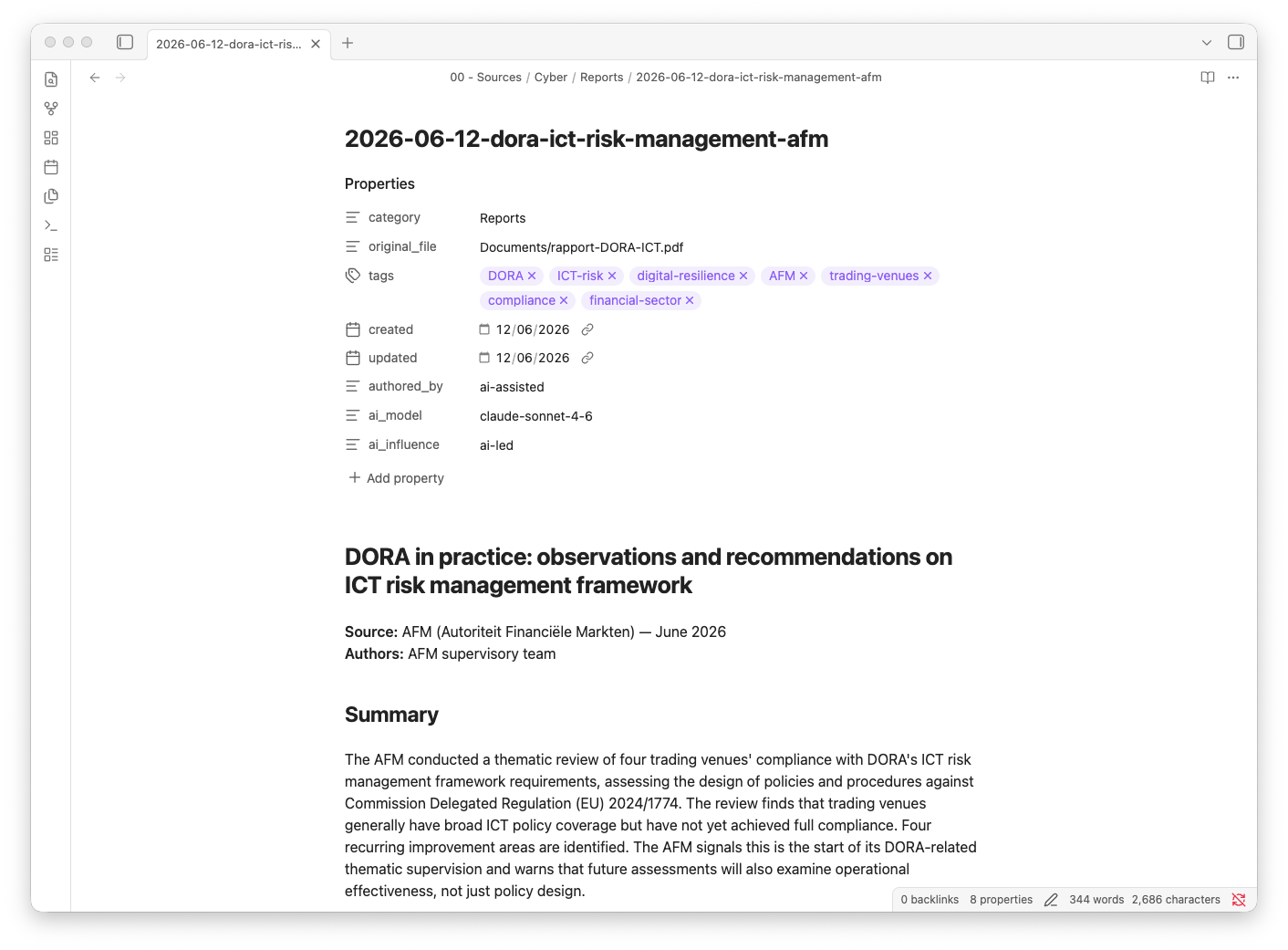
Obsidian stores everything as plain markdown files in a local iCloud folder. No proprietary format, no database, no sync API, no cloud dependency. The files are just files: readable by any text editor and writable by any AI. Claude Cowork is the worker: a desktop agent I direct in natural language, with no integration layer between it and the files it reads and writes. A single markdown file at the vault root, called claude.md, is the operating manual: routing rules, naming conventions, frontmatter requirements, what never to overwrite, what to always verify against the live vault before acting.
Plain markdown is the right choice because it removes the translation layer that makes AI assistance fragile. When I paste a file, note or URL and say “save this,” the agent fetches the page, writes a structured note with a summary and crosslinks to related content already in the vault, files it in the correct folder per the routing rules, and confirms the filename. The file I open afterward is one I could have written myself in 15 minutes. I didn’t have to. And critically, it is exactly the same file format I would have produced: not a database record, not a synced object, not something that requires the app to render. Just a markdown file in a folder, already where it belongs.
The folder structure that determines where things belong:
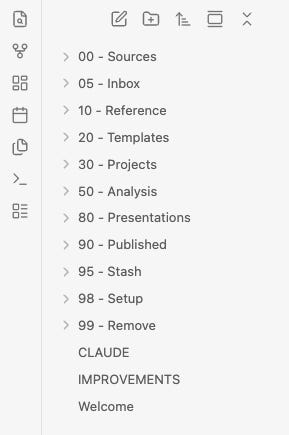
00 - Sources/       single-origin material — raw notes, clippings, first summaries
05 - Inbox/         staging area — rough notes drop here, agent routes daily
10 - Reference/     stable material — frameworks, regulations, glossaries
20 - Templates/     reusable playbooks and work products
30 - Projects/      project concepts in development
50 - Analysis/      synthesised insights from multiple sources
80 - Presentations/ presentations given or in preparation
90 - Published/     content that has left the vault
A note enters at 05 - Inbox or 00 - Sources. From there it can develop into a synthesis in 50 - Analysis, through a draft, eventually into 90 - Published. The agent knows these routing rules because I wrote them down in CLAUDE.md, and it has followed them consistently since the first session.
A day in the vault looks like this.
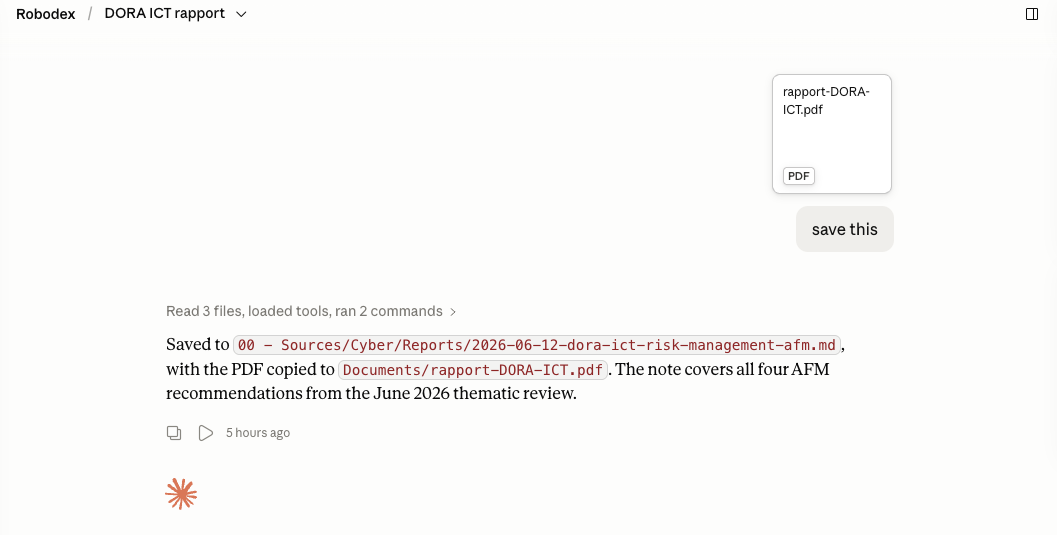
I paste a PDF (or URL, random note, graphic, etc.) into Cowork and say “save this.” The agent saves a clipping with a short summary and crosslinks to anything related already in the vault; the whole operation takes about 15 seconds.
Rough notes from a meeting go to 05 - Inbox, where the daily task in the morning picks them up, determines what they are, enriches them, and routes them to their final location without further input from me. Day 28 of each month, a monthly summary generates automatically: everything saved that month, key themes, what changed in the vault’s composition. Day 1 of the next month, a batch of content ideas drawn from that summary. Sunday mornings, topic reference cards get reviewed and updated against any new content added during the week.
The vault currently has 547 notes, and each one is more useful than the last because every new note has more to connect to. The crosslinking compounds as the vault grows.
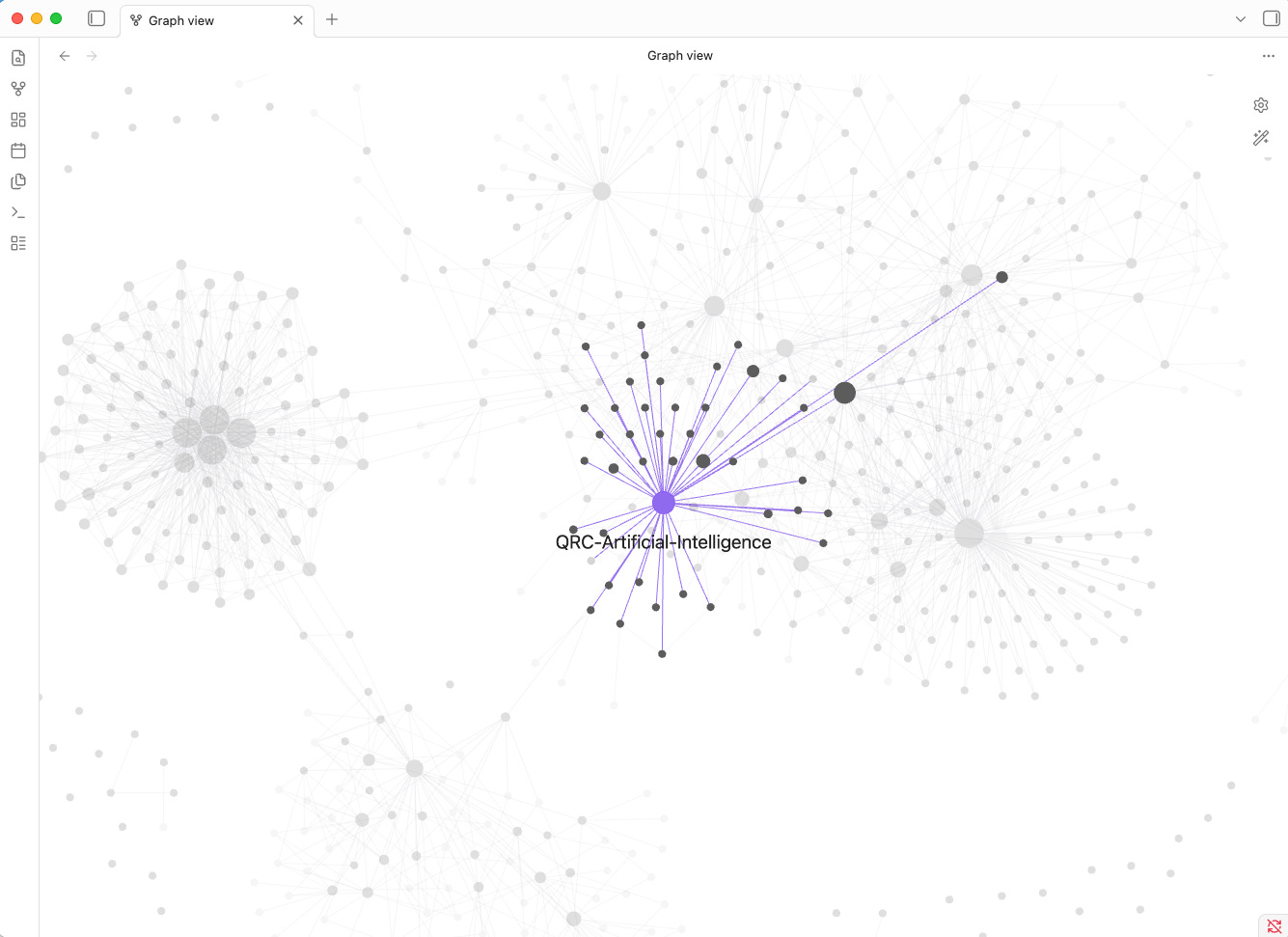
Every previous second brain I built was most useful in its first few weeks, before the debt accumulated. This one improves with age, because the maintenance that would have killed the others is now fully automated.
The principle embedded in this architecture transfers past personal knowledge management to any workflow where you want an AI to do ongoing work.
Separate storage from labour.
Pick a storage format an agent can read and write directly.
Plain files beat apps and APIs: the agent is replaceable; the files aren’t.
If a better model comes along next year, or if Cowork is superseded by something else, I point the new agent at the same folder and hand over the CLAUDE.md.
The vault transfers intact. No migration, no re-filing, no lost crosslinks.
The storage doesn’t depend on the worker, which means the investment in the storage compounds independent of any decision I later make about tooling.
The agent is rented labour, the files are mine. (yes, this is an AI generated oneliner.. )
In the follow-up posts, I will be explaining more on how I use this setup and how you can do it yourself:
About the saved procedures I trigger by name, and what prompt drift costs when you don’t write them down.
How I have 10 scheduled tasks that maintain the vault while I sleep, and why the two that write nothing are as important as the eight that do.
How I track which thoughts are mine and which came from a model, and why that distinction matters more than it sounds.
How I taught the agent to stop writing like an AI, and why the spec has a banned list with 60 entries.
Subscribe for free to get notified on each of the following posts!